Help →
Documents and folders
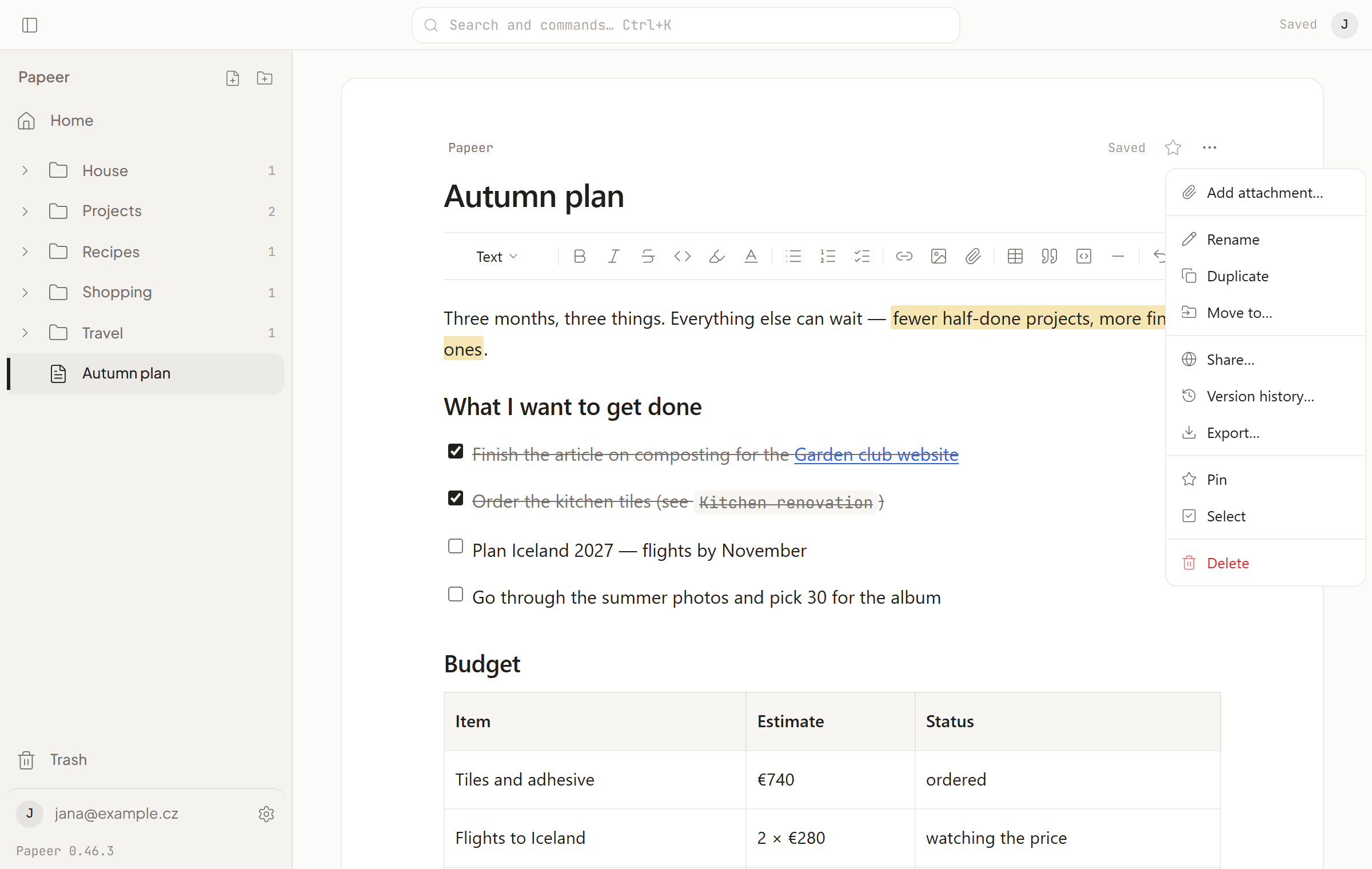
Everything in Papeer is either a document (one note) or a folder. You can nest folders as deep as you need. The sidebar on the left shows the whole tree; a folder page shows its contents with a preview of the first line of each document.
Creating and renaming
- New document: the + button in the sidebar,
N, or New document in the folder menu. - New folder: the button next to the Folders heading,
Shift+N, or the folder menu. - Renaming: tap the name at the top of the document and type over it, or choose Rename in the … menu. The document name is also the file name — so it can’t contain a slash.
Moving
On a computer, grab a document or folder in the sidebar with the mouse and drag it elsewhere. On a phone, hold the item and drag (a short hold without moving selects the item instead). The … menu also has Move to… with a list of folders.
After a move or delete, a bar with an Undo button appears at the bottom — one tap and it’s back.
Pinning, colours and icons
- Pinning a document or folder means having it at the top of Home. Pin is in the … menu.
- You can give a folder a colour and an icon — in the same menu. Handy for finding your way around the sidebar quickly.
Selecting several items at once
On a computer: hover over an item in the sidebar and tick the box, then Ctrl + click (or Shift + click for a range). On a phone, hold an item and let go. A bar N selected appears at the bottom with the Move to… and Delete buttons. Esc clears the selection.
Duplicating
Duplicate in the … menu makes a copy of the document, including images and attachments, right below the original. Handy for templates — write it once, copy it every time.
Trash
A deleted document or folder goes to the Trash (at the bottom of the sidebar, or G T). It waits there until you restore it or empty the trash. Nothing is deleted from the trash on its own. Emptying it can’t be undone: it deletes the items, their files and their version history from the server straight away (an encrypted copy stays in the operator’s backups for the period given in the Privacy policy).