Help →
Account and plan
Email and devices
Your account is your email. In Settings → Security you see every device you are signed in on, and you can sign out of any of them — or all of them at once. Signing out deletes the copy of your notes on that device (everything stays on the server).
Free trial and plans
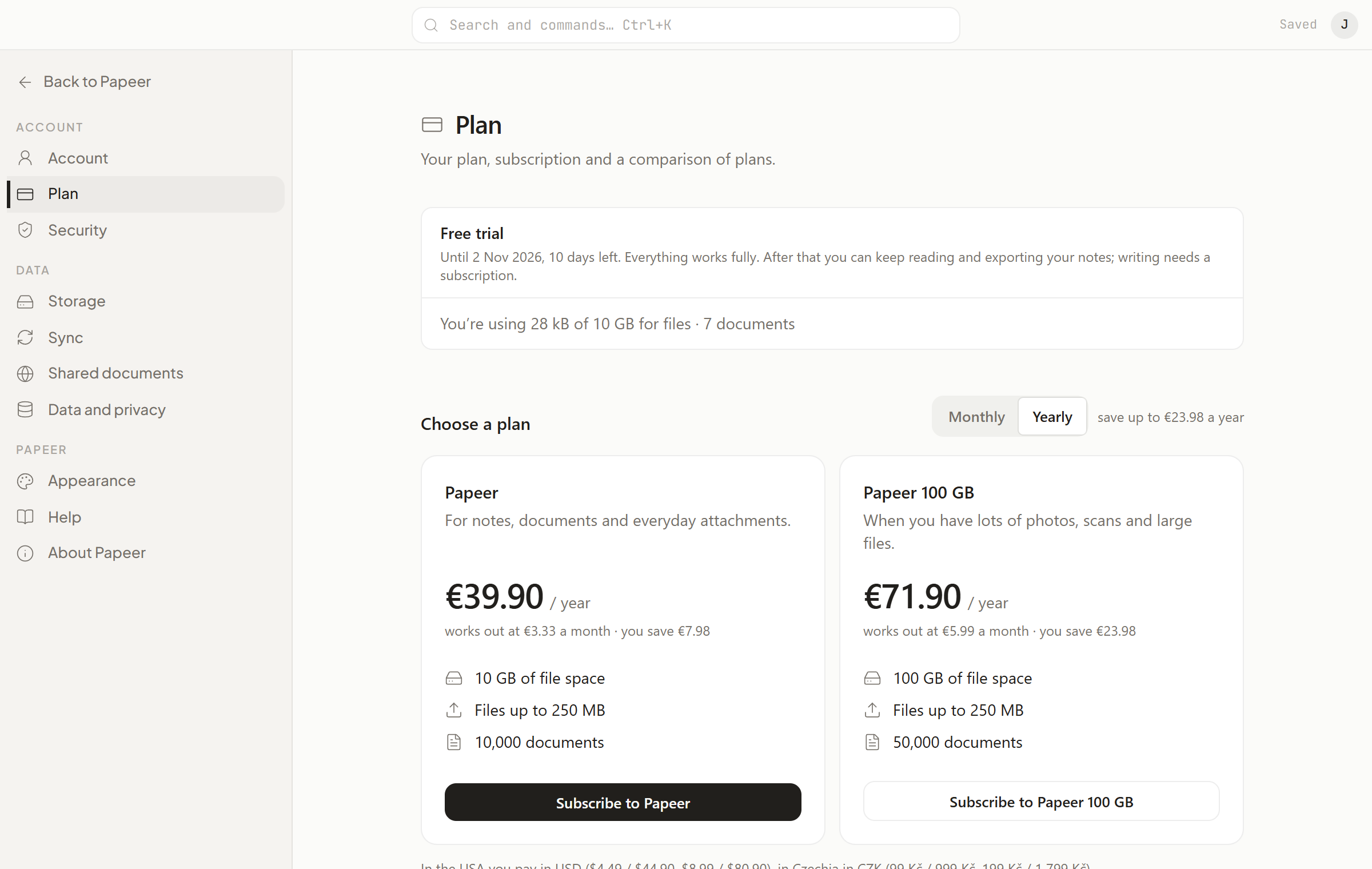
A new account gets 14 days free with everything. After that Papeer is a subscription; the plans differ only in space:
| Plan | Space | File | Documents |
|---|---|---|---|
| Papeer | 10 GB | up to 250 MB | 10,000 |
| Papeer 100 GB | 100 GB | up to 250 MB | 50,000 |
Prices are on papeer.online. Every plan has everything: sharing by link, version history, Google Drive sync, the Claude connector, export.
The Settings → Plan page shows which plan you have, until when it is valid and how much space you use. Choose the period with the Monthly / Yearly switch, and start the payment with the Subscribe to … button under the plan; Paddle processes it on its own page — you enter your card there, Papeer never sees it. After paying you return to Papeer, and the plan changes as soon as Paddle confirms the payment (usually within a minute). Paddle sends the receipt to your account email. Within 14 days of a payment we will refund you, no questions asked; how to ask is on the Refunds page.
Managing the subscription
With a running subscription, the Plan page has the buttons Manage payments (the Paddle portal: card, receipts, payment history), Switch to … on the other plan (same period; when moving up, Paddle charges only the difference until the end of the period; when moving down, it returns the difference as credit — you can move to the smaller plan only if your files and documents fit) and Cancel subscription… (it runs until the end of the paid period; until then you can Resume subscription). A subscription paid during the free trial starts straight away, and the rest of the trial is dropped.
What happens after the free trial or subscription ends
You can still read and export your notes. Writing comes back with a subscription; changes you write on your device in the meantime wait in the queue and are sent afterwards. The account is not deleted — only after 90 days without payment, and you get an email a week before. An empty account (without a single document) with no sign-in for 90 days gets an email and is deleted a week later too.
Space
You can see how much space you use in Settings → Storage. Images, attachments and the trash count towards space. Text doesn’t.
Deleting your account
Settings → Data and privacy → Delete account. The account and all your notes are deleted straight away and for good; an encrypted copy stays in the operator’s backups for the period given in the Privacy policy. Make an export before you delete.